Redirecting to Getting Started...
If you are not redirected automatically, click here.
Xermius is a modern SSH terminal manager for desktop and web, designed to simplify server management and remote connectionsxxx.
Key Features
💻 All-in-One Terminal
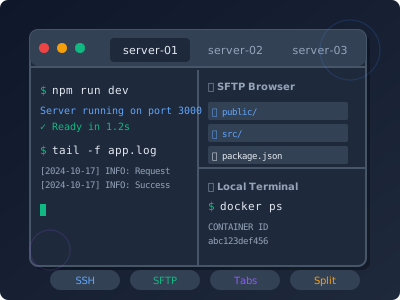
Everything you need in one place: SSH, SFTP, multiple tabs, split panes, and local terminal. No more switching between apps.
Included:
- SSH terminal with tabs
- Built-in SFTP browser
- Split panes support
- Local terminal access
🛠️ Developer Tools
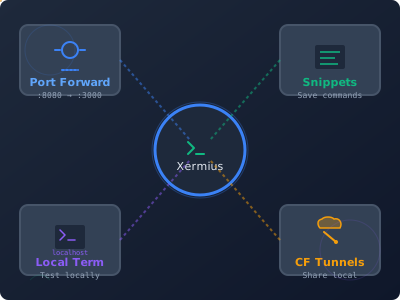
Powerful tools that make your development workflow faster: port forwarding, command snippets, and Cloudflare tunnels.
Tools:
- Port forwarding (L/R/D)
- Command snippets library
- Cloudflare tunnels
- Local terminal
📦 Easy Migration
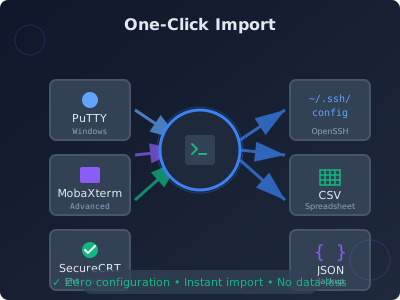
Switch from any SSH client in minutes. Import from PuTTY, MobaXterm, SecureCRT, or Termius with one click. Zero configuration needed.
Import from:
- PuTTY, MobaXterm, SecureCRT
- Termius, SSH Config
- Export to CSV, JSON
- Preserve all settings
Quick Links
🚀 Getting Started
- Installation - Install Xermius on your system
- Quick Start Guide - Get up and running in 5 minutes
- Glossary - Learn the terminology
💻 Desktop Application
- Hosts Management - Connect to your servers
- Terminal - Work in the terminal
- SFTP - Transfer files
- Snippets - Save and reuse commands
- Port Forwarding - Tunnel connections
🌐 Web Platform
- Account Setup - Create your account
- Security - Enable 2FA
What is Xermius?
Xermius is an SSH client that makes it easy to:
- Connect to multiple servers
- Manage SSH connections
- Transfer files via SFTP
- Forward ports securely
- Save command snippets
- Organize hosts with groups and tags
Additional Features
Desktop Application
- Modern Interface - Clean, intuitive design
- Multiple Tabs - Work with many connections
- SFTP Client - Built-in file manager
- Snippets - Save frequently used commands
- Port Forwarding - Local, Remote, and Dynamic
- Terminal Customization - Themes, fonts, colors
- Cloudflare Tunnels - Expose local services
Web Platform
- Cloud Sync - Access from anywhere
- Team Collaboration - Share with your team
- Secure Storage - Encrypted credentials
- Two-Factor Auth - Enhanced security
Getting Help
- 📖 Documentation - Comprehensive guides
- 💬 Support - Get help
- 🐛 Report Issues - Found a bug?
Popular Topics
Beginners
Intermediate
Advanced
Ready to Start?
👉 Install Xermius and connect to your first server!